> For the complete documentation index, see [llms.txt](https://docs.cccties.org/chibichilo/llms.txt). Markdown versions of documentation pages are available by appending `.md` to page URLs; this page is available as [Markdown](https://docs.cccties.org/chibichilo/extensions/zoom.md).
# - Zoom動画の取り込み
本機能はzoom連携機能が設定されているCHIBI-CHILOだけが使える機能です.詳しくはシステム管理者にお問い合わせください.
CHIBI-CHILOでインポートの設定をおこなったうえでZoom録画をおこなうと,CHIBI-CHILOに録画した動画が取り込まれ,ブックとトピックが作成されます.
## (1)事前設定
{% hint style="info" %}
Zoomの動画をインポートするには,ZoomとLMSで同じメールアドレスを使用する必要があります.また,Zoomでクラウド録画をおこなう前にCHIBI-CHILOでインポートの設定をしておく必要があります.
{% endhint %}
### ❶ CHIBI-CHILOにアクセス
Zoomを使用したメールアドレスを使用しているアカウントでLMS(Moodle)にサインインし,CHIBI-CHILOにアクセスします.([CHIBI-CHILOへのアクセス](/chibichilo/chibi-chilo/access.md) 参照)
### ❷ インポートの設定
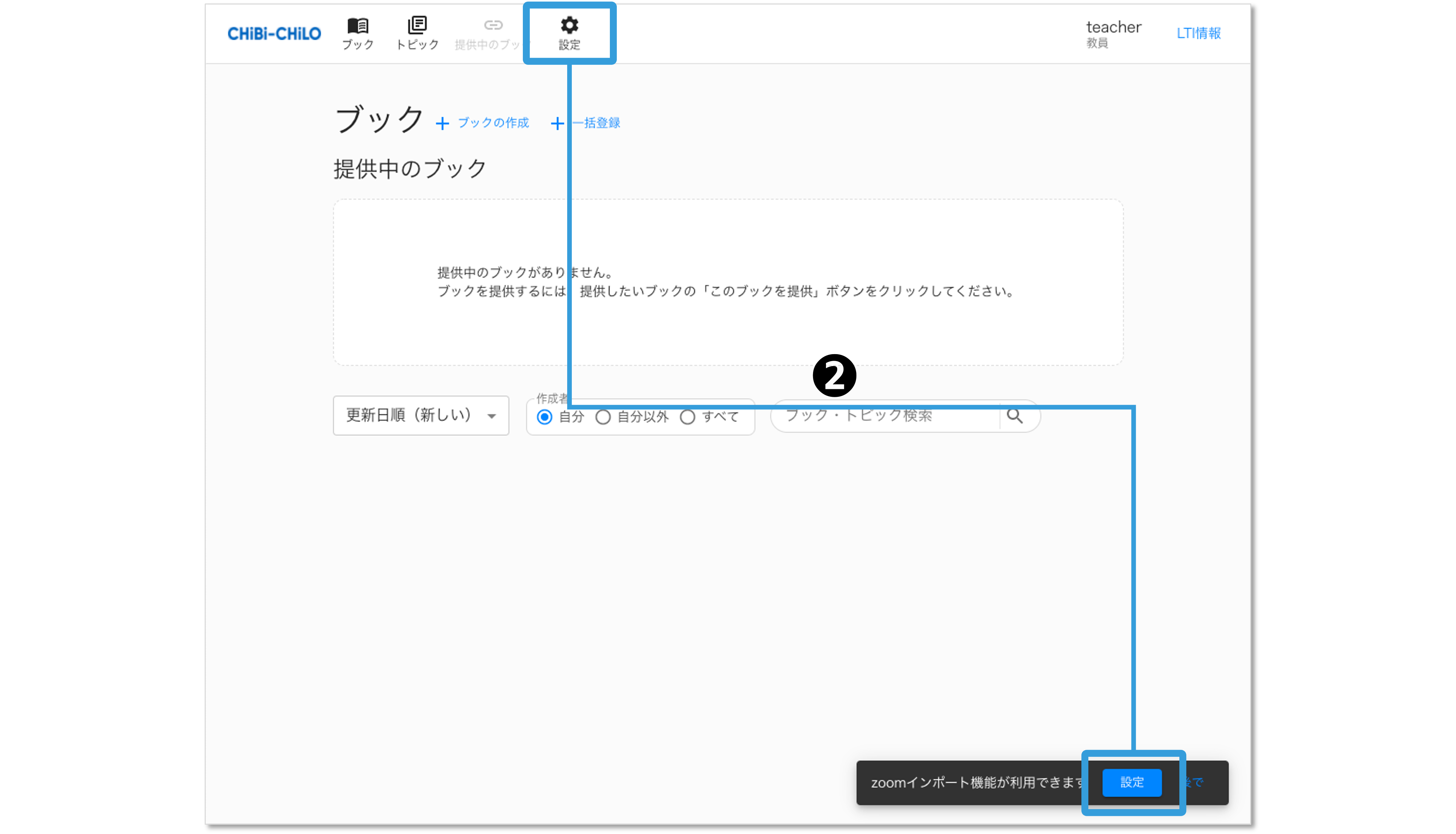
ZoomとCHIBI-CHILOを連携した後の初回起動時に,zoomインポート機能の設定を確認されます.2回目以降は画面上部の「設定」をクリックしてインポート設定をおこないます.
 ### ❸ インポートを有効にする
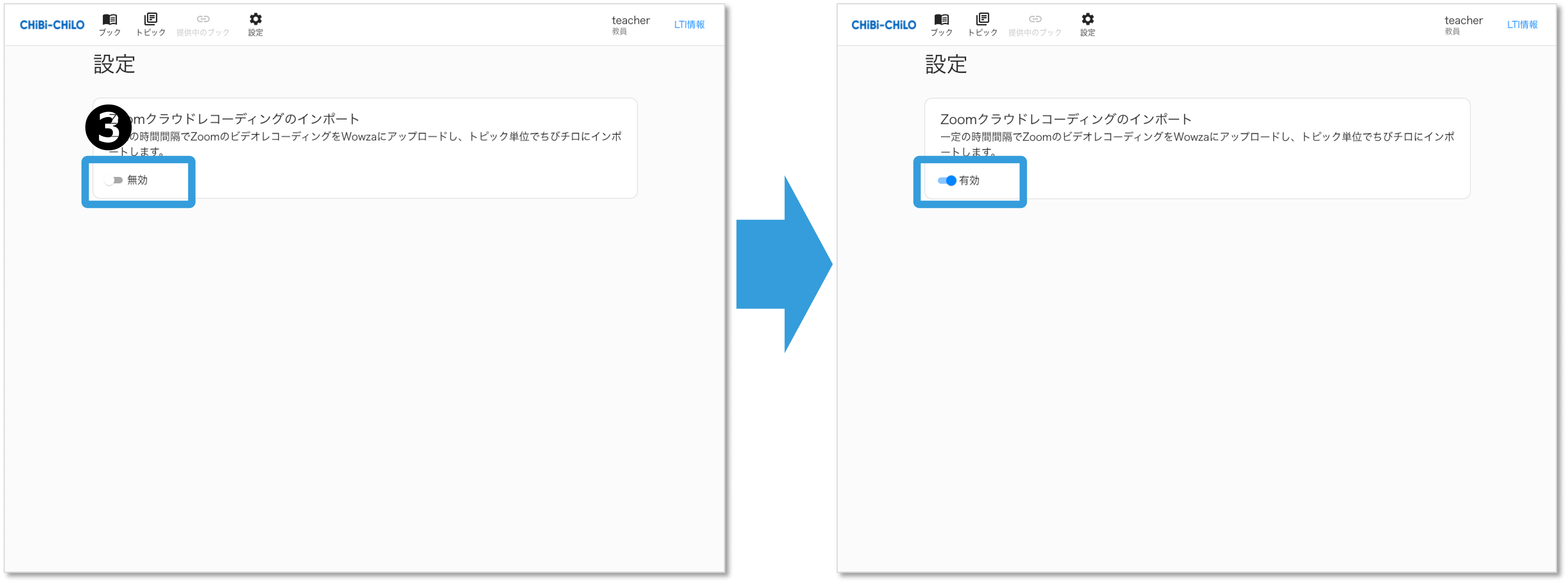
「Zoomクラウドレコーディングのインポート」を有効にします.
### ❸ インポートを有効にする
「Zoomクラウドレコーディングのインポート」を有効にします.
 ## (2)Zoomで録画
### ❶ クラウドレコーディングする
Zoomの有料アカウントでサインインします.この際にZoomとLMSで同じメールアドレスを使用している必要があります.
Zoomでクラウドレコーディングをします.
### 動画が登録される
インポートを有効にした状態でクラウドレコーディングをおこなうと,CHIBI-CHILOにブックとトピックが生成され,トピックに録画した動画が登録されます. 動画の登録は一定の間隔でおこなわれるため,すぐには反映されない場合があります.(登録の間隔が知りたい場合は管理者に設定をご確認ください.)

## 補足:インポートしたブックとトピックについて
Zoomのクラウド録画で作成されたブックとトピックは,タイトルがZoomのミーティング名と日時となっており,学習時間や解説は空白となっています.
## (2)Zoomで録画
### ❶ クラウドレコーディングする
Zoomの有料アカウントでサインインします.この際にZoomとLMSで同じメールアドレスを使用している必要があります.
Zoomでクラウドレコーディングをします.
### 動画が登録される
インポートを有効にした状態でクラウドレコーディングをおこなうと,CHIBI-CHILOにブックとトピックが生成され,トピックに録画した動画が登録されます. 動画の登録は一定の間隔でおこなわれるため,すぐには反映されない場合があります.(登録の間隔が知りたい場合は管理者に設定をご確認ください.)

## 補足:インポートしたブックとトピックについて
Zoomのクラウド録画で作成されたブックとトピックは,タイトルがZoomのミーティング名と日時となっており,学習時間や解説は空白となっています.