> For the complete documentation index, see [llms.txt](https://docs.cccties.org/chibichilo/llms.txt). Markdown versions of documentation pages are available by appending `.md` to page URLs; this page is available as [Markdown](https://docs.cccties.org/chibichilo/book/keyword.md).
# - ブックのキーワードの設定
検索や絞り込みに使用するキーワードを設定出来ます.
## 1.キーワードの設定について
ブックの作成・編集時にキーワードを設定すると,ブック一覧で検索や絞り込みに利用することができます.
検索や絞り込みの操作については,以下をご覧ください.
{% content-ref url="/pages/0DYnTgTJtK7VXL8G9XRi" %}
[- ブックの検索](/chibichilo/book/search.md)
{% endcontent-ref %}
なお,キーワードの設定はトピックにもあります.トピックのキーワード設定については,以下をご覧ください.
{% content-ref url="/pages/x7VpqNiIqAA5gwOFNlhv" %}
[- トピックのキーワードの設定](/chibichilo/topic/keyword.md)
{% endcontent-ref %}
## 2.ブックのキーワードの入力・削除
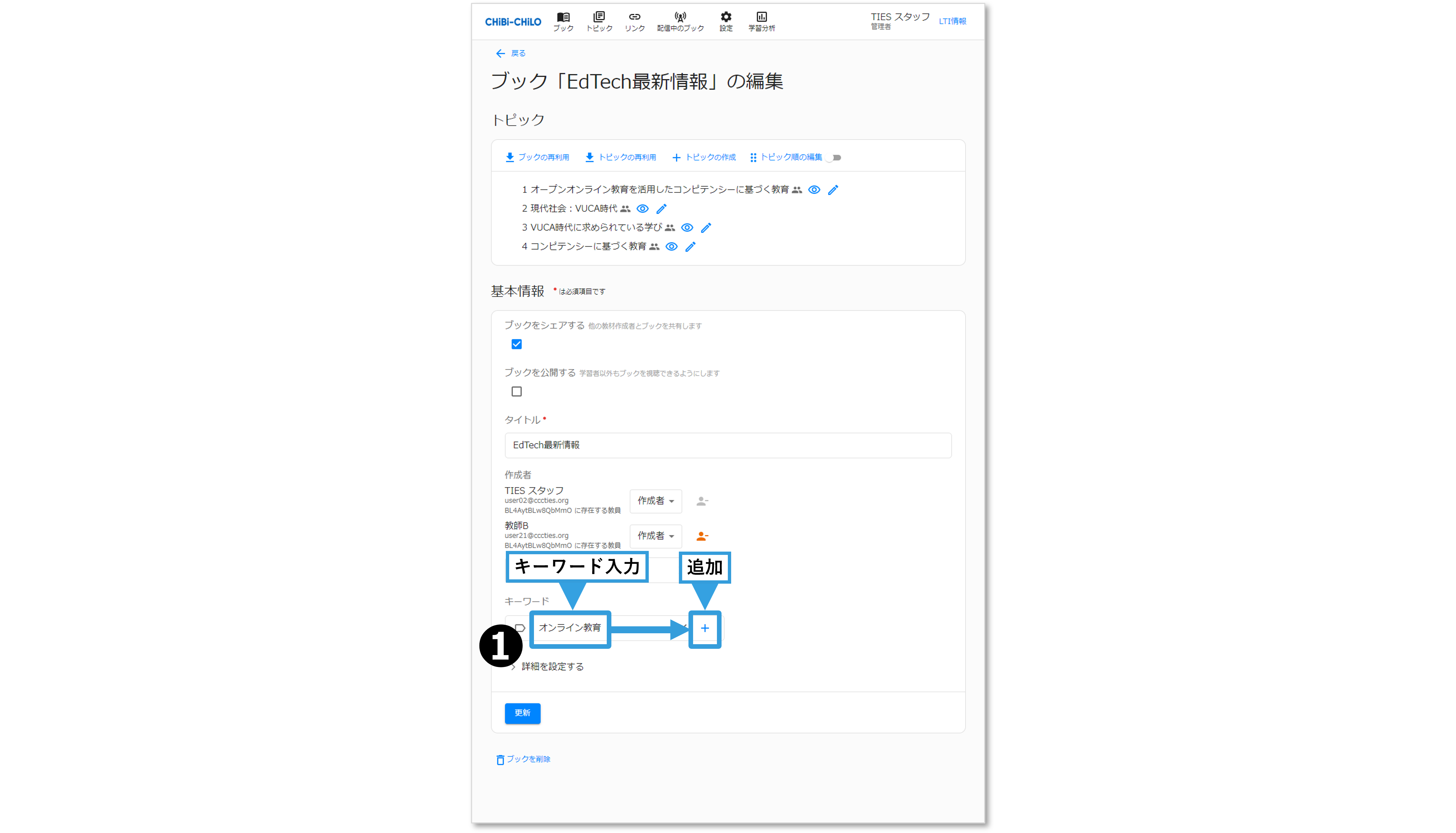
❶ブックの作成・編集画面で,キーワードの入力欄に文字を入力して+で追加します.
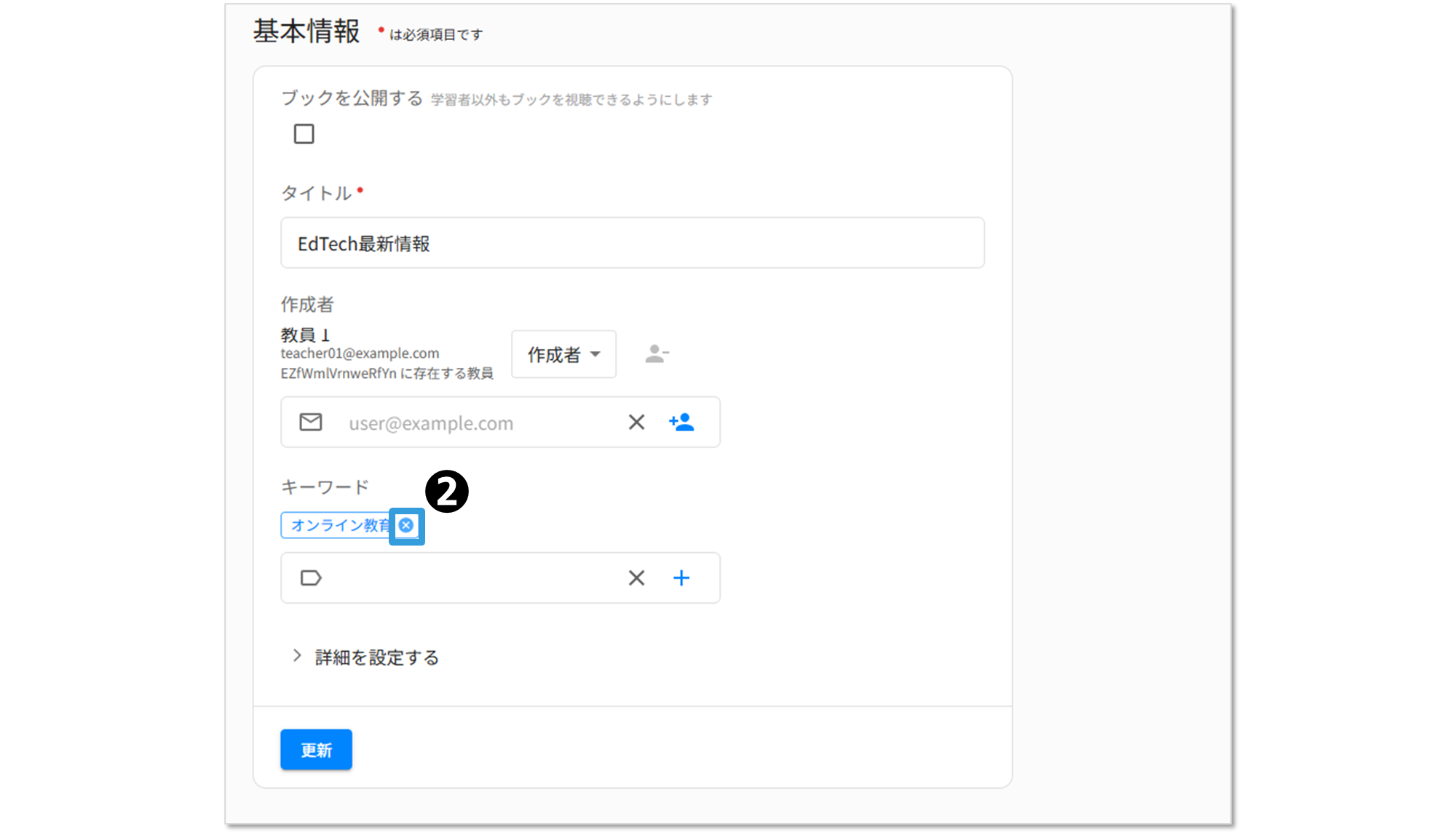
❷入力したキーワード削除する場合は,キーワードの横にある×ボタンをクリックします.
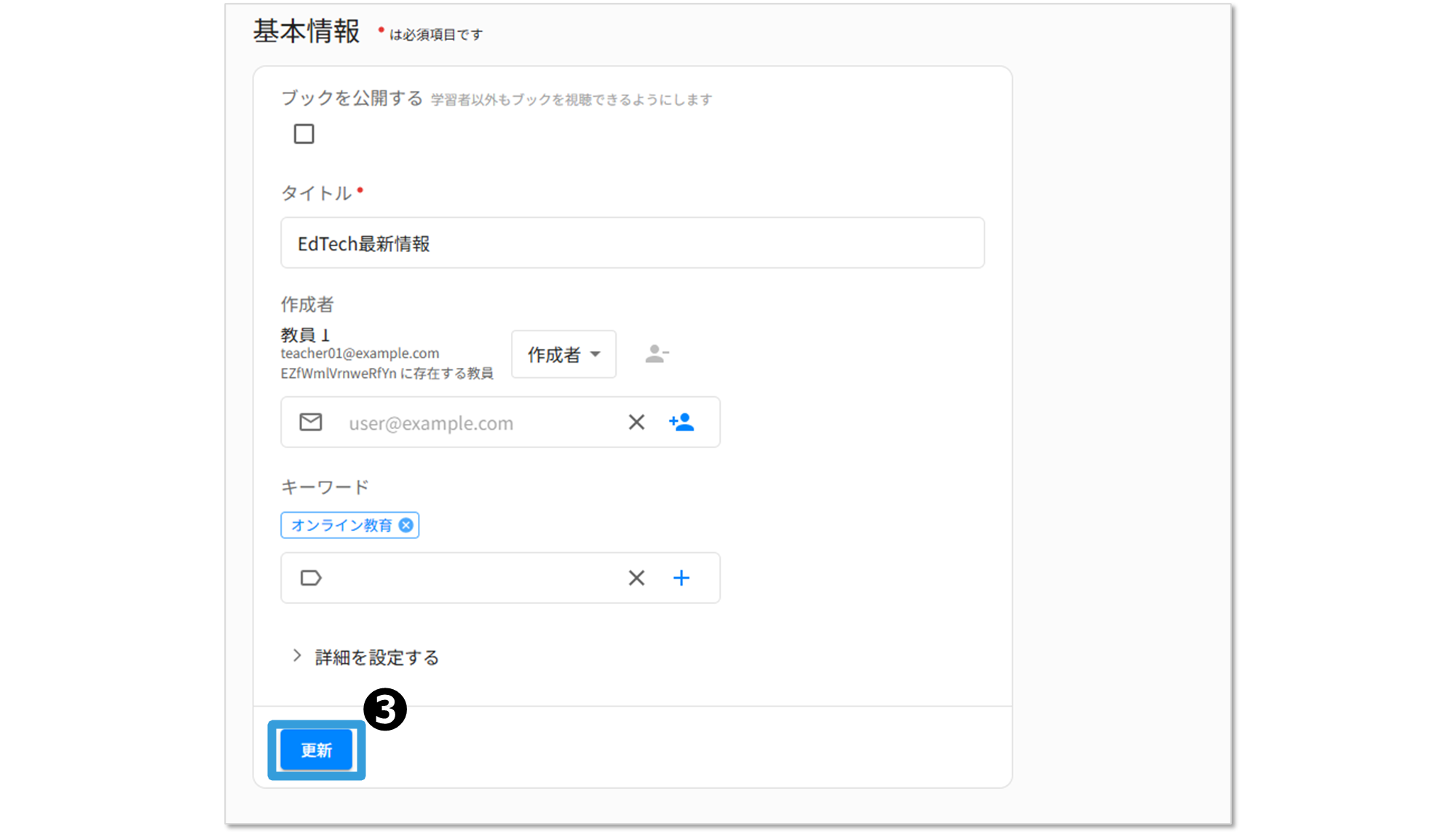
❸作成または更新をクリックします.